Open the Teams tab
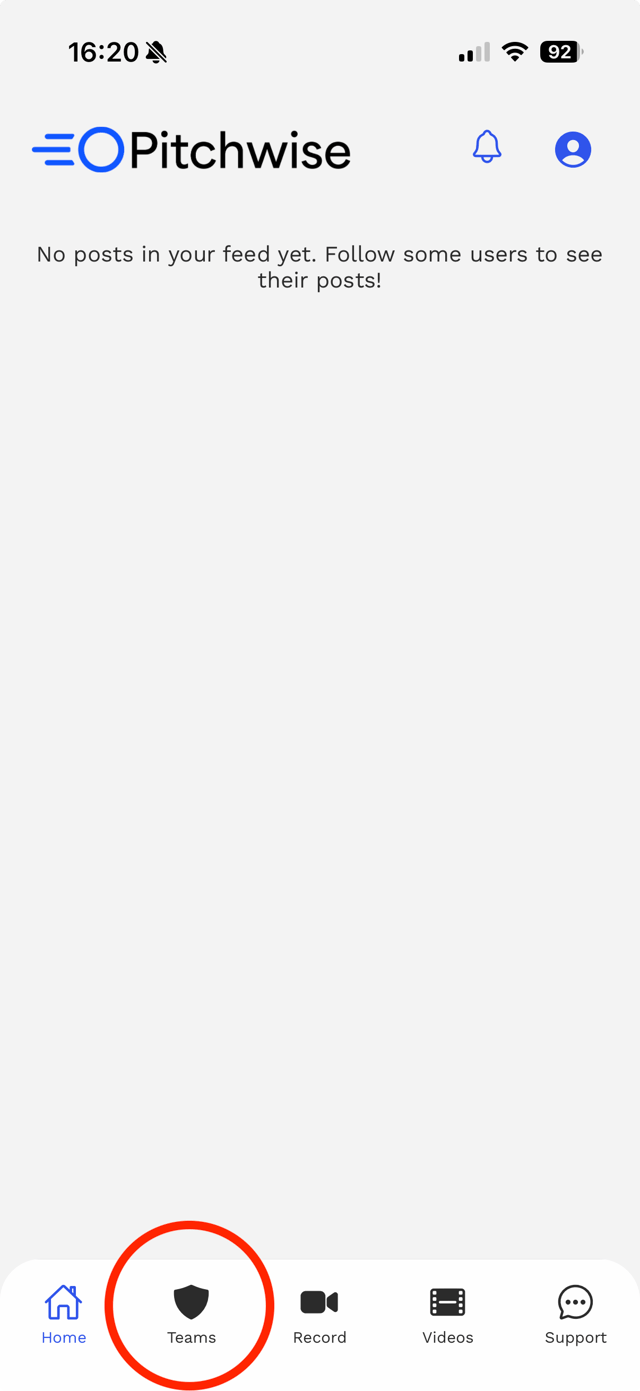
From the Pitchwise app home screen, tap Teams in the bottom navigation bar.
Create your team
Tap + Create Team, then enter your team name and select your sport. Team names must be under 50 characters.
You're all set
Your team is now created, and you'll land on your team page. From here you can create matches and posts, add players, and manage your team.
Invite your team
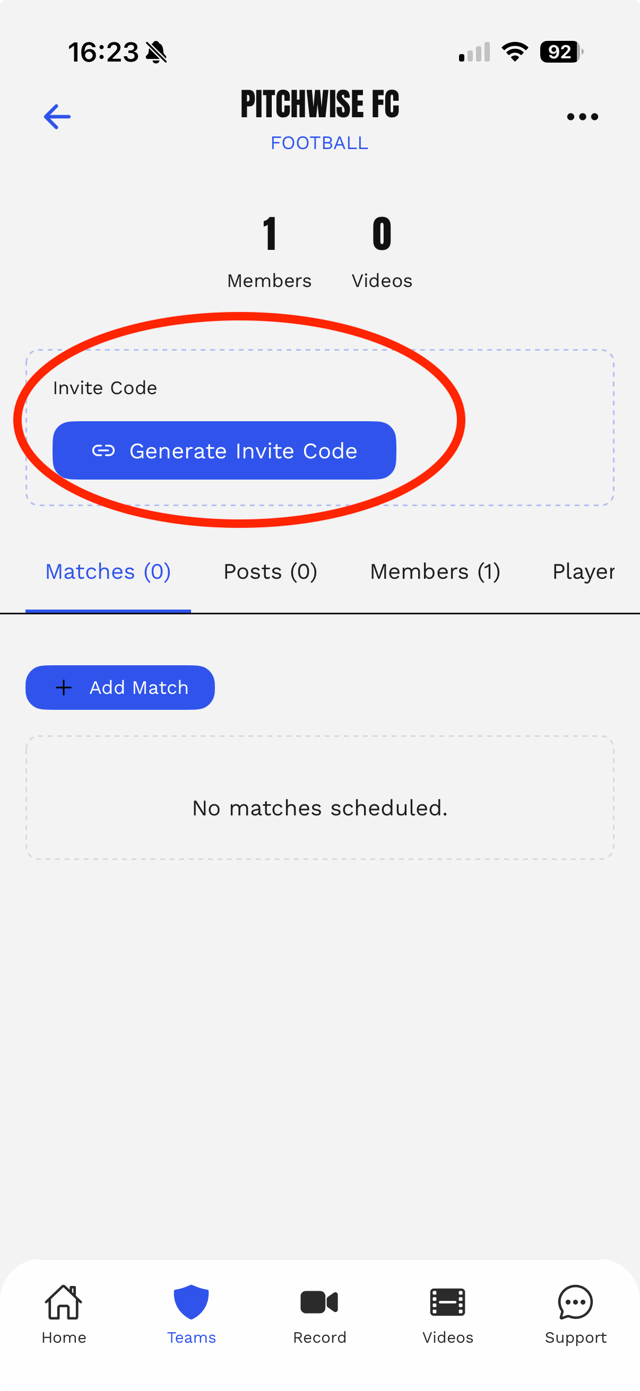
Tap Generate Invite Code and share the code with your team members. Anyone who enters it will be added to your team automatically, so only share it with people you trust.
Invite codes expire after 7 days. Generate a new one anytime from the same button.